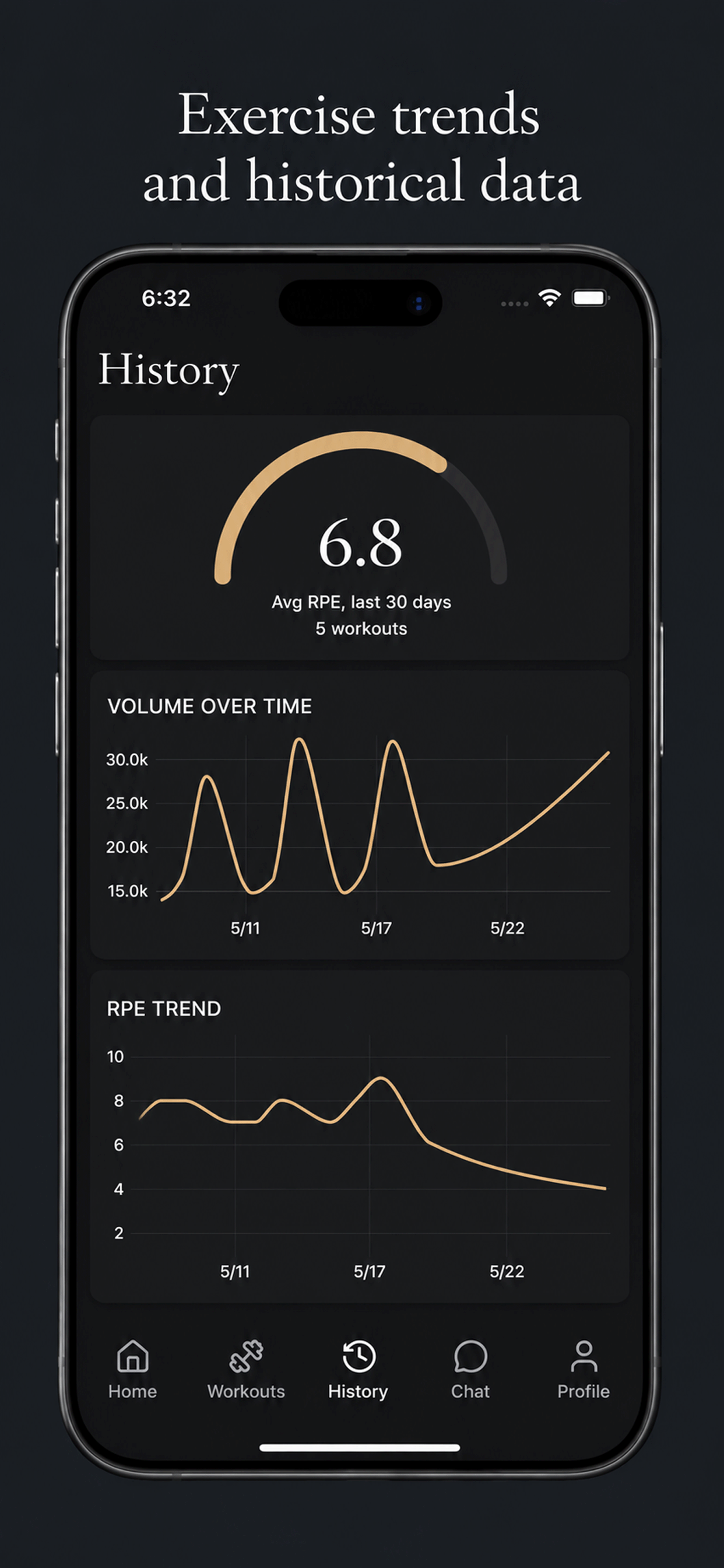
Almost every fitness app can store what you did in the gym. Far fewer help you understand it. The gap between those two things is the difference between workout tracking and training analytics. Tracking is the act of recording sets, reps, weight, and effort. Analytics is what happens when that record accumulates and gets summarized into trends you can actually read.
This guide explains the metrics worth watching, what they mean, and where their limits are. It reflects how BioTrac's History view works, but the principles apply to any serious approach to measuring progress.
The short answer
Training analytics turn a pile of logged workouts into a readable picture of progress. The metrics that matter most are total volume, average RPE, weekly frequency, session duration, and per-exercise strength over time. Each is a trend to interpret over weeks, not a verdict on any single session.
Tracking versus analytics
| Aspect | Workout tracking | Training analytics |
|---|---|---|
| Purpose | Record what happened. | Reveal what the record means over time. |
| Unit of focus | A single set or session. | A trend across weeks and months. |
| Typical output | A logbook of entries. | Charts for volume, effort, frequency, and strength. |
| Core question | What did I lift today? | Is my training actually moving forward? |
The metrics worth watching
- Total volume: Sets times reps times weight. Shows whether the overall work you are doing is rising, holding, or quietly declining.
- Average RPE: Your perceived effort over a recent window. Rising effort against flat volume is an early sign of accumulating fatigue.
- Weekly frequency: How often you actually train, which is usually the variable that most decides results.
- Session duration: How long your sessions run. Workouts that stretch longer for the same work often mean rest, not training, is expanding.
- Per-exercise strength: Weight over time and estimated one-rep max for individual lifts, so you can see which movements are progressing.
How tracking becomes analytics
- Log each set: After every set, record the reps completed, weight used, and perceived exertion so the history has accurate raw data.
- Let the record accumulate: A handful of sessions is a sketch. Several weeks of consistent logging is what turns individual workouts into a trend with signal.
- Summarize into trends: BioTrac aggregates logged sets into volume, average RPE, weekly frequency, and session duration over time, plus per-exercise weight and estimated one-rep max.
- Read the direction, not the day: Interpret the slope of each trend rather than reacting to any single session, which is too noisy to draw conclusions from on its own.
- Feed it back into training: Rising effort against flat volume, or stalled strength on a key lift, are signals to adjust load, frequency, or recovery for the sessions ahead.
Reading estimated one-rep max honestly
An estimated one-rep max is one of the most useful progress metrics and one of the easiest to misread. It is a projection calculated from the weight and reps you logged, not a maximum you tested. That makes it valuable for comparing performances across different rep ranges: a heavy triple this month and a moderate set of eight last month become directly comparable.
Its accuracy depends on context. Estimates are most dependable on compound lifts in moderate rep ranges and least dependable on very high-rep sets or isolation work. Read as a trend line rather than a precise figure, it is an honest gauge of whether a lift is heading the right way.
What analytics cannot do
Good analytics are clear about their limits. Charts describe your training; they do not coach it for you, and they cannot see what you do not log. BioTrac is not a medical device, a physical therapy tool, or a form detector. It summarizes the sets, reps, weights, and RPE you record, and the quality of the picture depends on the consistency of the input.
Used well, analytics make routine decisions more responsive: when to push, when to hold, and which lift needs attention. They do not replace listening to your body or consulting a qualified professional when something feels wrong.
Frequently asked questions
What is the difference between workout tracking and training analytics?
Workout tracking is recording what you did: sets, reps, weight, and effort. Training analytics is what happens when that record accumulates and is summarized into trends, such as total volume over time, average RPE, training frequency, and per-exercise strength. Tracking captures data; analytics turns it into a readable picture of progress.
What metrics actually matter for measuring progress?
The most useful trends are total training volume, average perceived exertion (RPE), how often you train each week, session duration, and weight or estimated one-rep max for individual exercises. Read together, they show whether the work, the cost of that work, and your strength are all moving in the right direction.
How accurate is an estimated one-rep max?
An estimated one-rep max is a projection from the weight and reps you logged, not a tested maximum. It is most reliable on compound lifts performed in moderate rep ranges and least reliable on very high-rep or isolation work. It is best read as a trend line rather than a precise number.
Does BioTrac analyze form or detect injuries from the data?
No. BioTrac summarizes the training information you log, including sets, reps, weights, and RPE. It is not a form-analysis tool, a medical device, or an injury-diagnosis system. Analytics describe your training; they do not replace a coach or a clinician.
Sources and further reading
Editorial standards
This guide is published by the BioTrac Editorial Team. We write from BioTrac product behavior, public health guidance, and clear training principles. BioTrac does not replace medical advice, diagnosis, treatment, or the judgment of a qualified coach or healthcare professional.
Read Our Trust Standards